WhatsApp as a native HubSpot channel.
MomentumChat uses HubSpot's standard conversation and communication objects. Every piece of the HubSpot platform that works for email or live chat works for WhatsApp.
Get startedHow the integration works.
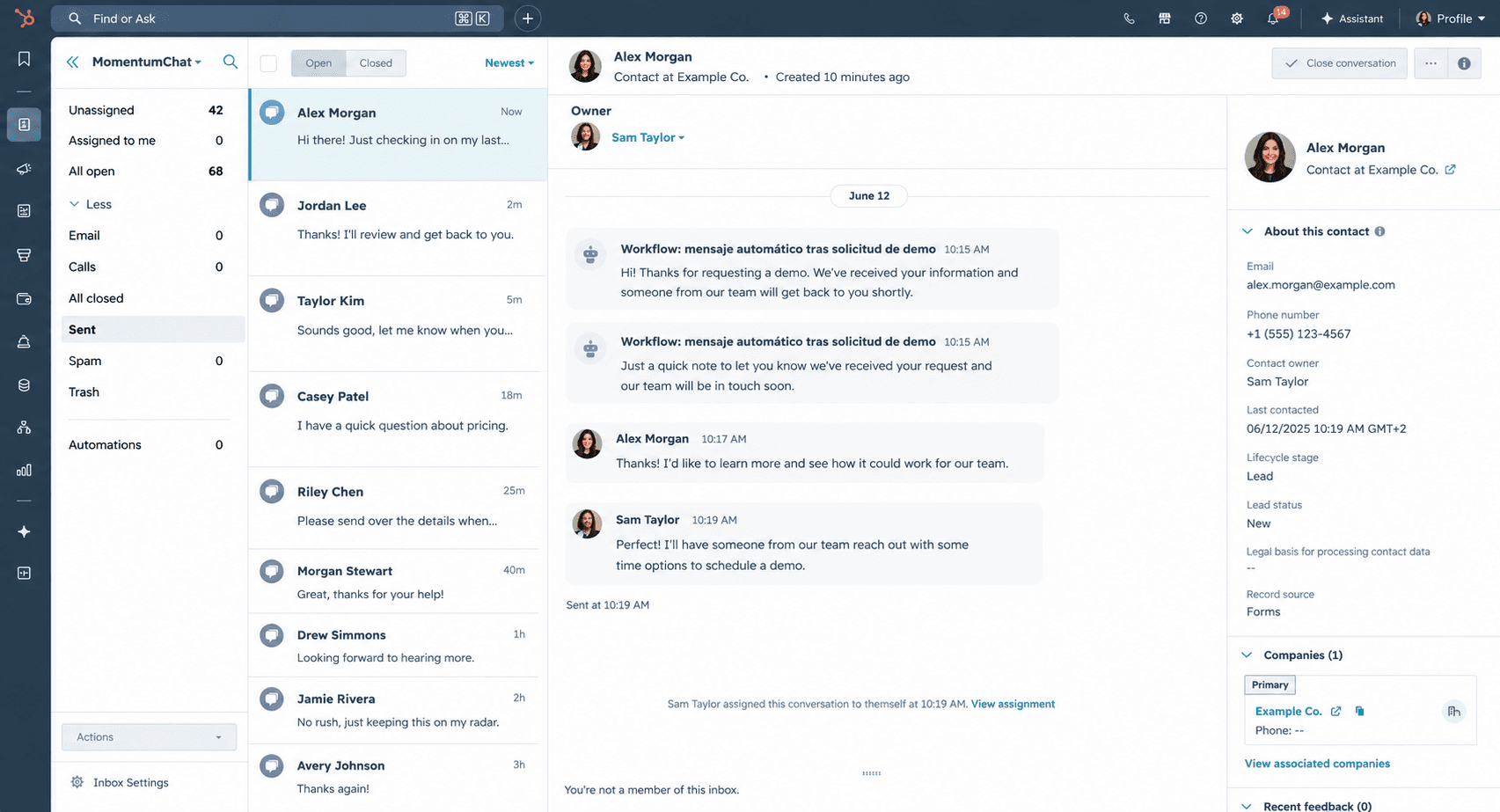
A channel in your HubSpot inbox
MomentumChat adds WhatsApp as a conversation source in the HubSpot inbox — the same place you manage email and live chat. Assign conversations, set SLAs, manage routing. No third-party interface.
Automatic contact matching
Incoming messages match to existing contacts by phone number. If no match exists, a new contact is created automatically. Every contact's timeline shows the full WhatsApp history.
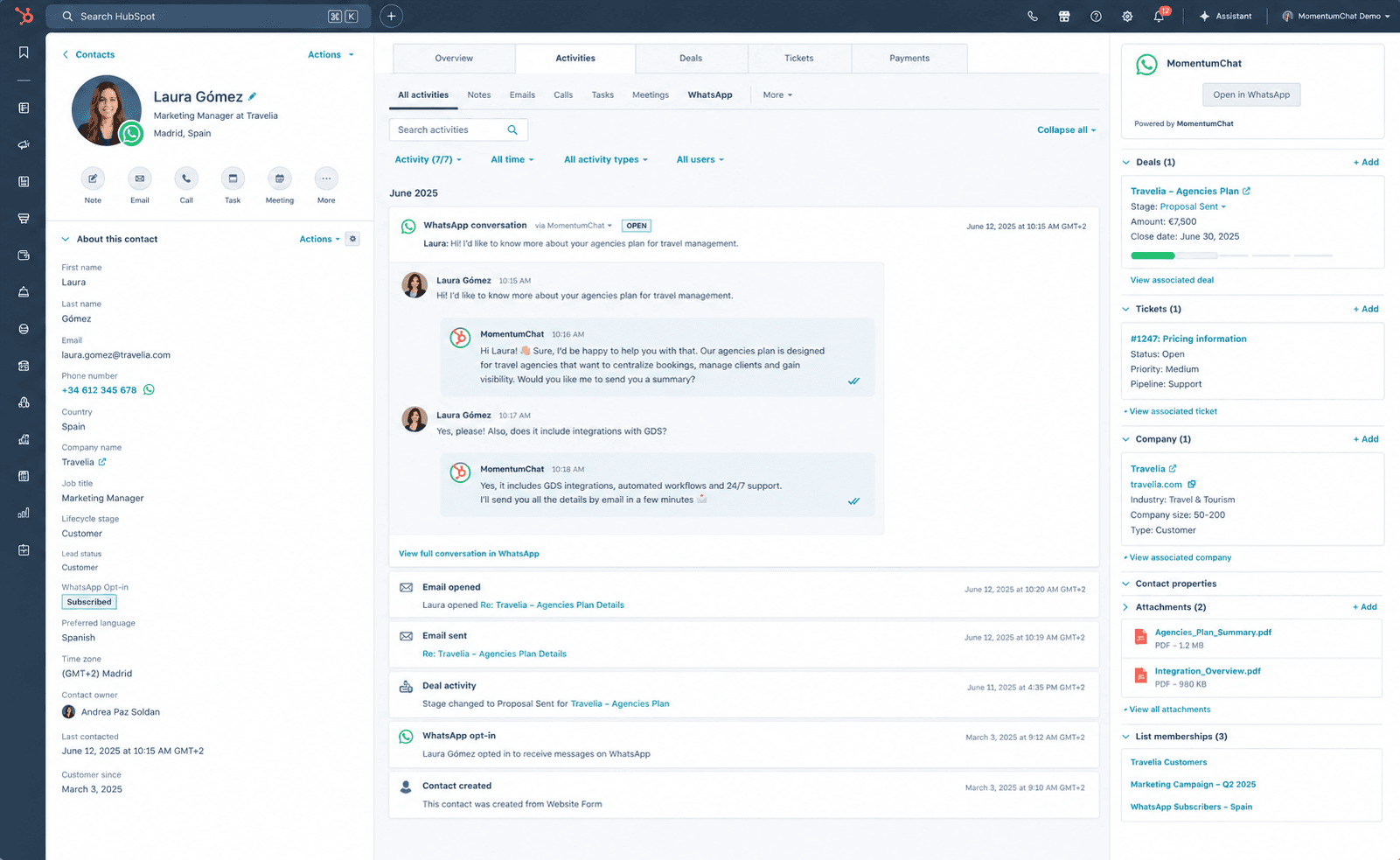
Activity on deal timelines
Messages log as activities on the associated deals. Deal health is accurate. Pipeline review shows what actually happened, not just what was logged manually.
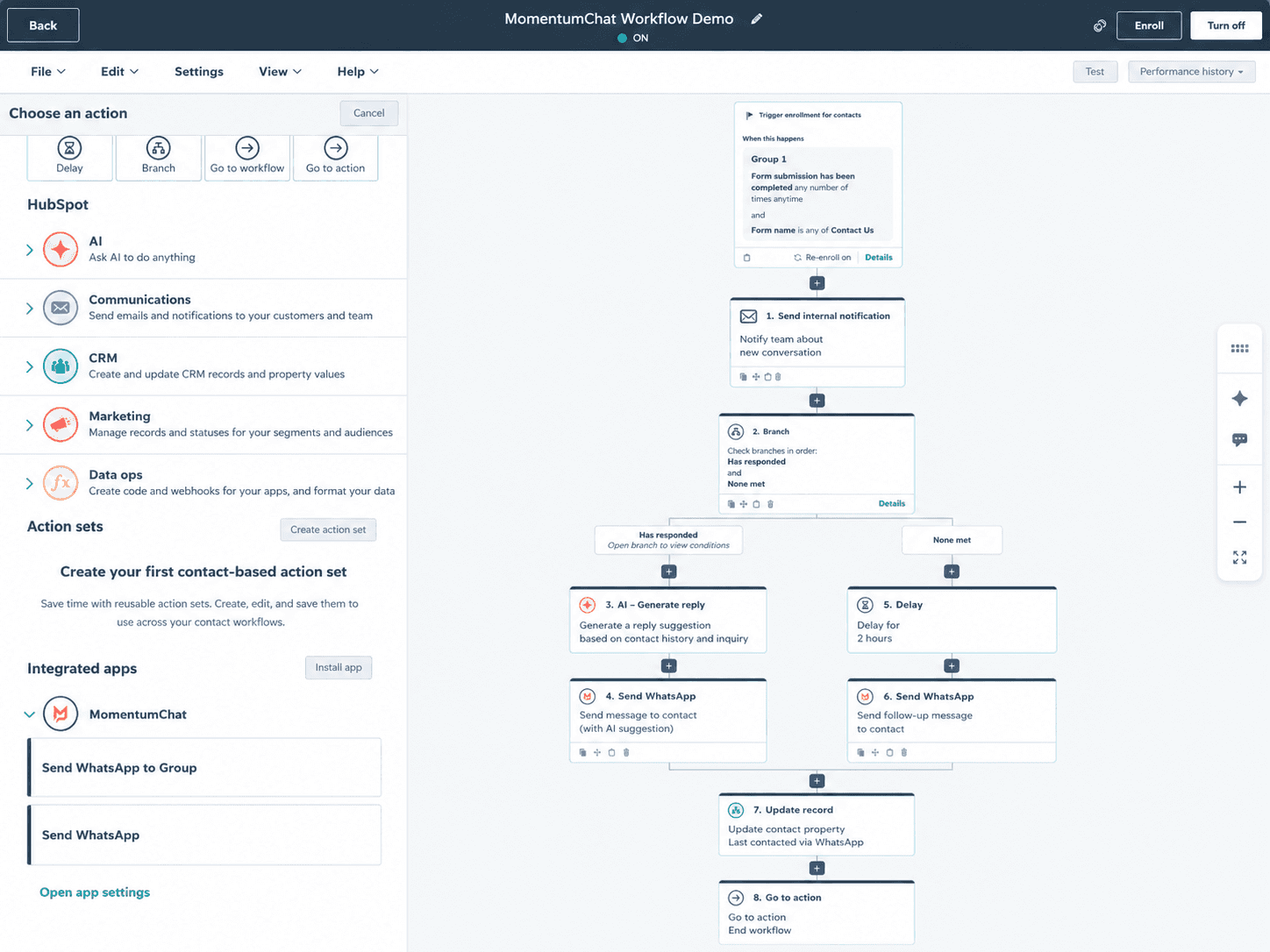
WhatsApp actions in any workflow
Add "Send WhatsApp" as an action in any HubSpot workflow. Trigger on deal stage changes, form submissions, contact lifecycle changes, ticket creation, or any other HubSpot trigger.
AI agent on WhatsApp in four clicks
Connect HubSpot's Breeze AI agent to your WhatsApp channel. Handles first responses, qualifies leads, and escalates when human judgement is needed. Full conversation history on handoff.
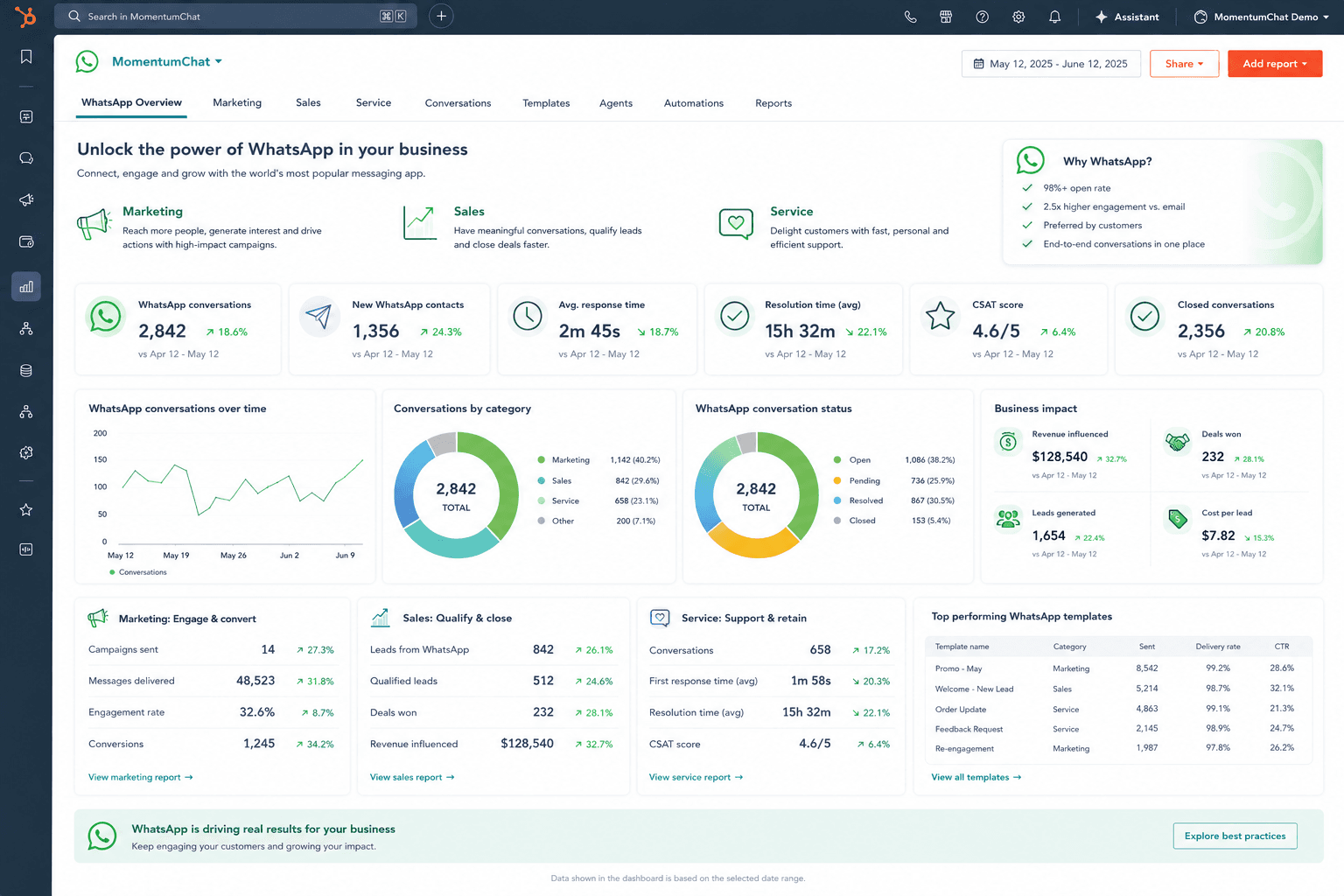
Reports built with HubSpot's own tools
Build custom reports on WhatsApp conversation volume, response times, resolution rates, and message activity. Same report builder you already know. No separate analytics platform.
Access control through HubSpot
Use HubSpot's existing team and user settings to control who can see and reply to which conversations. No parallel permission system to maintain.
Setup in 30 seconds.
Connect from HubSpot inbox settings
Go to Settings → Inbox → Channels. Click Connect MomentumChat.
Scan the QR code
Open WhatsApp on your phone. Scan the QR code — same as WhatsApp Web.
Done
Messages start flowing into HubSpot. Contacts are matched automatically.
Common questions.
Get WhatsApp inside HubSpot today.
Takes 30 seconds to connect. No Meta API approval required.